Press and Media Kit
Writing about FreeImageMerge, reviewing it or showing it in a video? This page has the facts you need and explains how you may use screenshots.
Fact sheet
| Item | Details |
|---|---|
| Name | FreeImageMerge |
| Website | https://freeimagemerge.com |
| What it is | A free online image merger and photo combiner that runs in the browser |
| Price | Free, with no account, no watermark and no usage limit |
| Privacy | Images are processed on the visitor's device and never uploaded |
| Made by | An independent developer |
| Contact | contact@freeimagemerge.com |
What it does
- Merges any number of images side by side, vertically, in a grid of up to 10 columns, or freely placed on a board.
- Matches images of different sizes, with adjustable gap, border, rounded corners and background color.
- Opens JPG, PNG, WebP, GIF, AVIF, BMP, SVG and iPhone HEIC photos; saves as PNG, JPG or WebP at 0.5×, 1× or 2×.
- Crops, rotates, flips, trims and splits single images.
- Batch resizes, converts and compresses images, downloading two or more files together in one ZIP.
- Saves the board automatically in the browser, so work survives a refresh.
- Works on computers, tablets and phones. Once loaded, merging, editing and exporting keep working offline; the optional HEIC decoder and ZIP library download on first use.
Logo and screenshots
Official images you can use straight away. Click an image to open the full-size file.


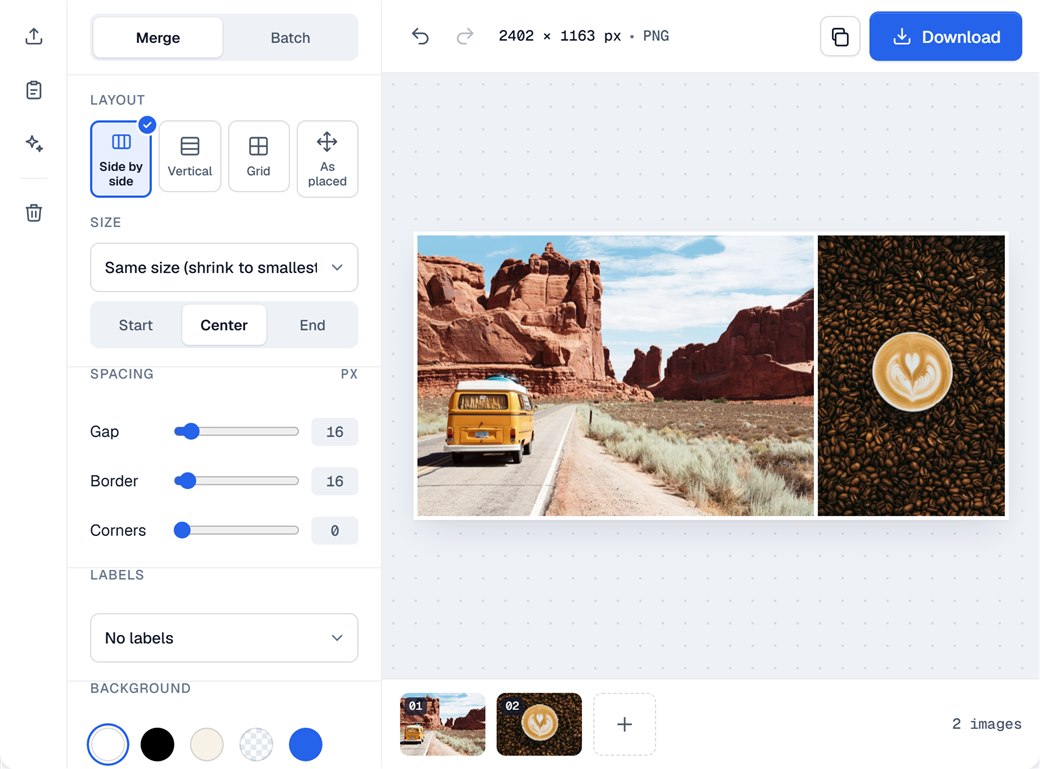
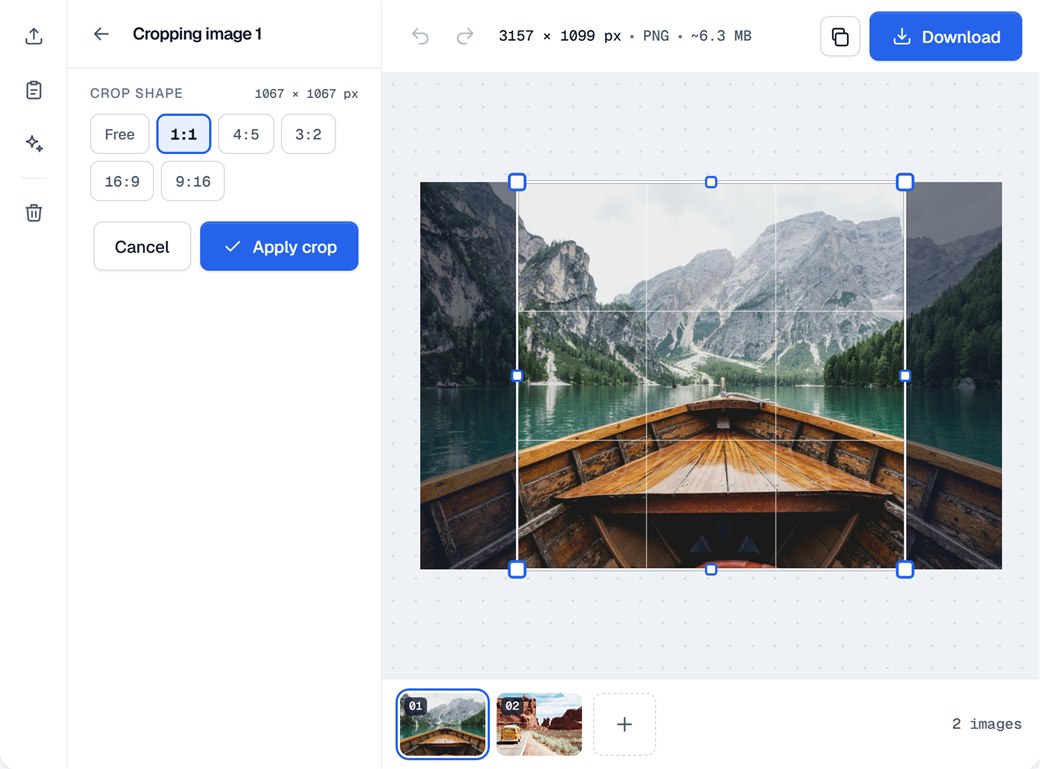
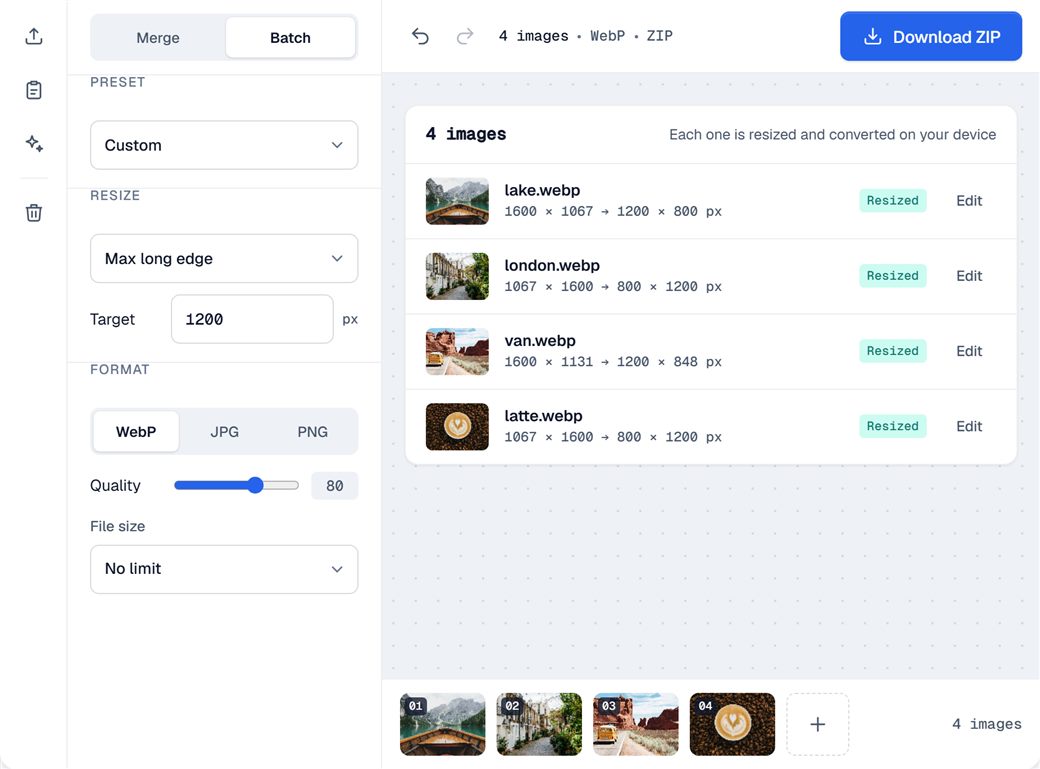
Using screenshots
You may use the images above, or your own screenshots of FreeImageMerge, in articles, reviews, tutorials and videos about the tool, free of charge and without asking first. Please:
- name the tool as “FreeImageMerge” and, where you can, link to https://freeimagemerge.com;
- don't edit screenshots in a way that misrepresents what the tool does;
- don't use screenshots or the FreeImageMerge name to suggest that we endorse your product.
If you need high-resolution images, a quote or answers to questions for a story, email contact@freeimagemerge.com.
Describing FreeImageMerge
A one-line tagline: “Free image merger that works in your browser — no upload, no signup, no watermark.”
A short description you can use: “FreeImageMerge is a free image merger that combines photos side by side, vertically or in a grid, entirely in the browser — no signup, no watermark and no upload. It also has a side by side photo maker for before and after posts.” For the story behind the tool, see the about page.